


JustiScript Invoicing
Invoices and quotes that look as good as your work.
Branded invoices and quotes in 51 languages and in any currency. Email the PDF with a secure link your client can open online, and see at a glance what is still outstanding.
- £199 a year, one payment
- No per-invoice fees
- Plan paid securely through Stripe
- 6Designer layouts
- 51Languages
- 155Currencies
- £0Per-invoice fees
Six layouts
One invoice, six ways to present it.
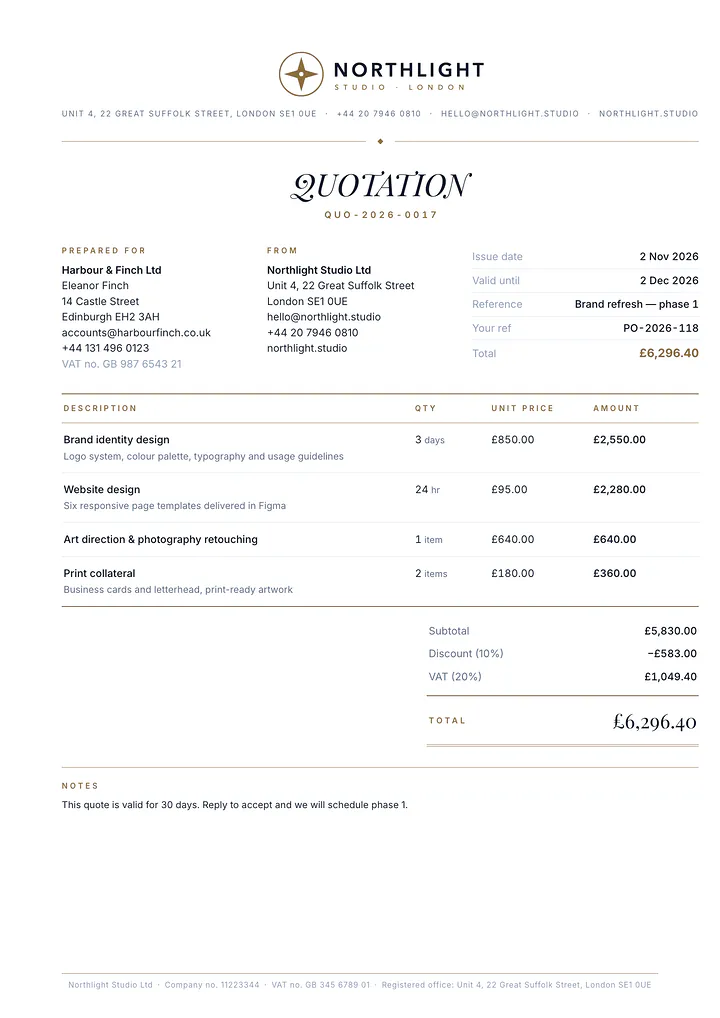
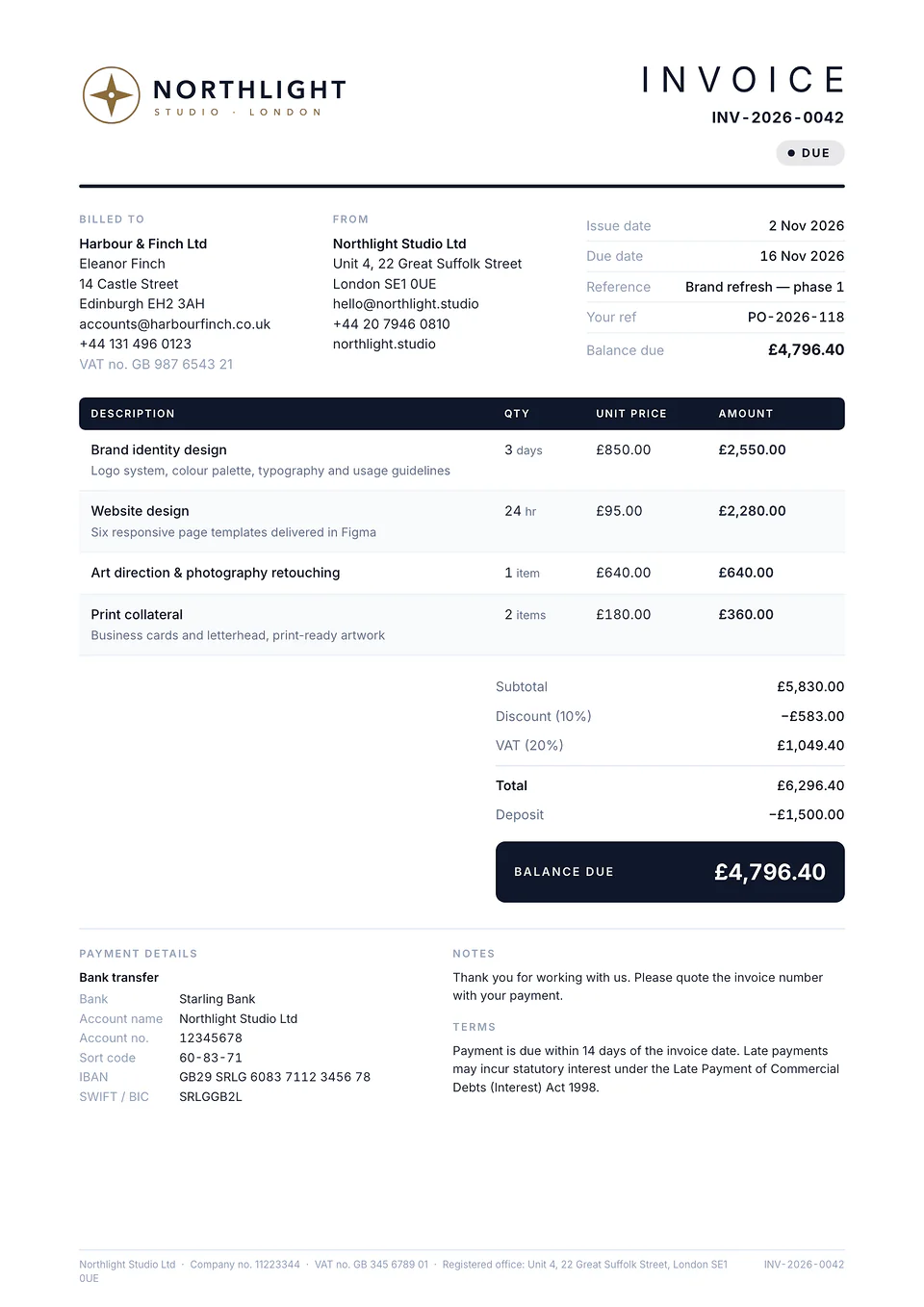
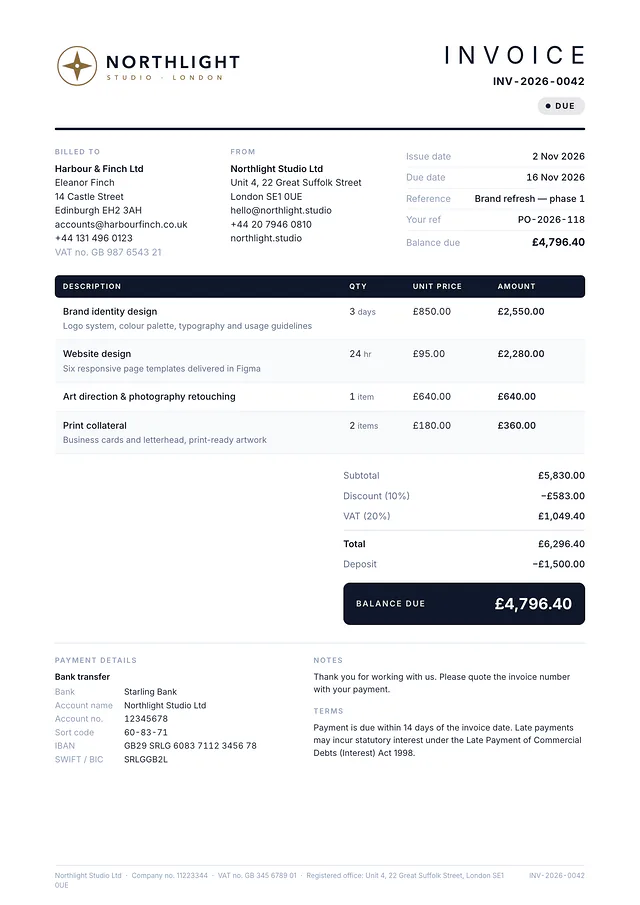
Every layout is a print-perfect PDF on A4 or US Letter paper, with page numbers, a repeating table header on long invoices and your company details in the footer. Set a default for your company, then switch any single document with one click.
EditorialAccent wordmark, slim rule, zebra table. Confident and clean. 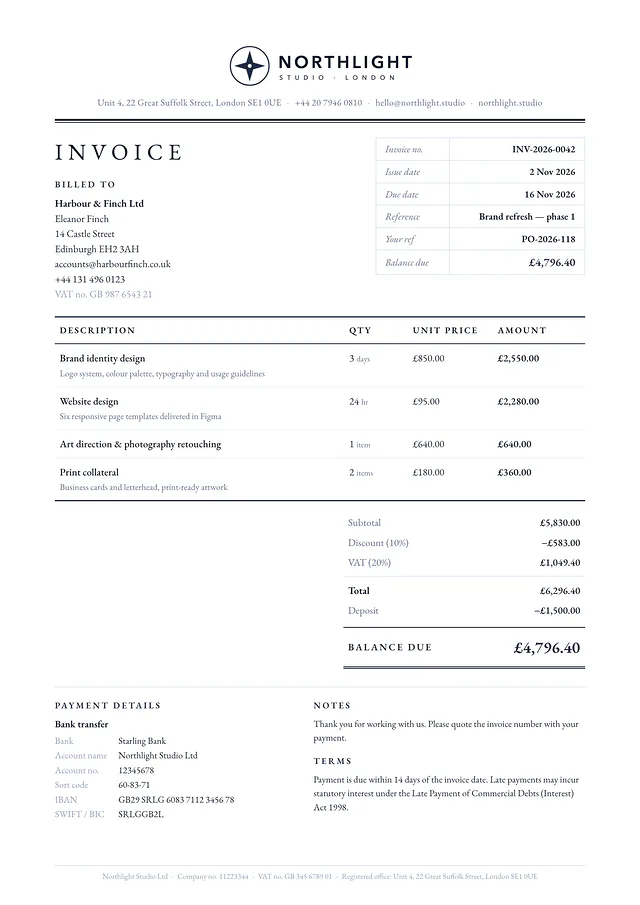
ClassicTraditional letterhead in a book serif. Law, accountancy, consultancy. 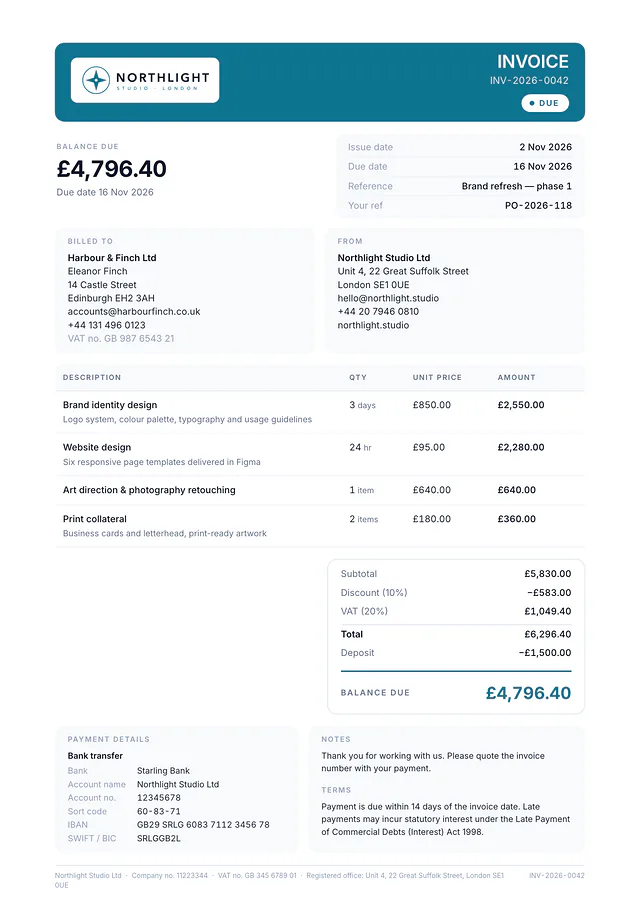
ModernColour band header, generous white space, large total card. 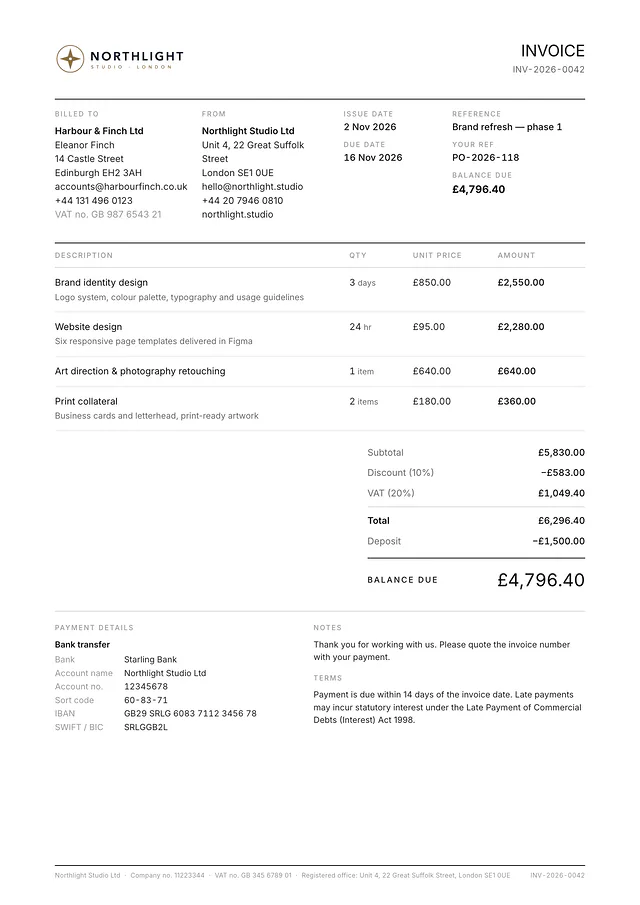
MinimalSwiss grid, hairlines, mono-chrome with a single accent on the total. 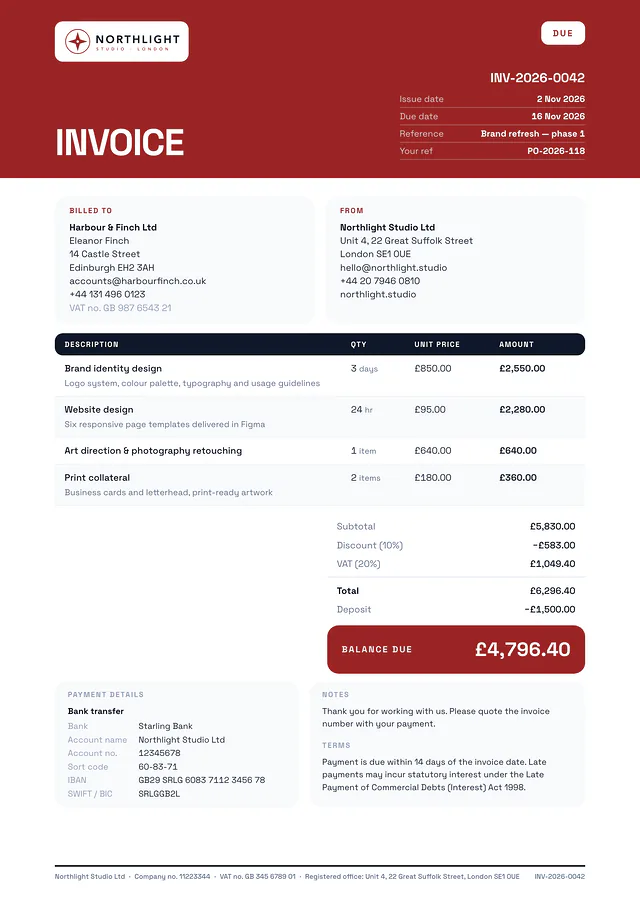
BoldFull-bleed accent header, oversized document title, rounded cards. 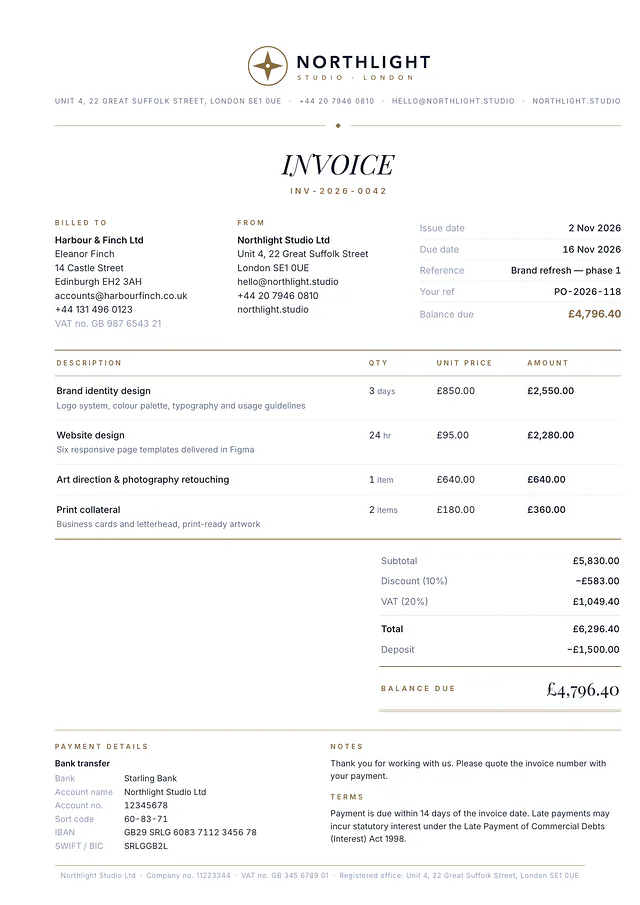
ElegantDisplay serif, fine gold rules, small-caps labels. Studios and boutiques.
Your logo, your colour.
Upload your logo and choose one of eight presets or any colour you like. It applies to every layout.
- Ink
- Navy
- Teal
- Forest
- Burgundy
- Plum
- Gold
- Charcoal
Samples show fictional company and client details, rendered by the same engine that produces your PDFs.
Languages and currencies
In your client’s language and in their currency.
Print the labels of any invoice or quote in one of 51 languages, and add a second language on the same document when you need a bilingual one. Your own text (descriptions, notes and terms) is printed exactly as you type it.
51 document languages
Each client and each document can have its own language. The email to your client and the secure page they open follow the language of the document.
Optional second language
Every label is printed in both languages, for example Arabic with English or Chinese with English. Arabic, Hebrew and Urdu documents are laid out from right to left.
Every ISO currency
Bill in any of the 155 active ISO 4217 currencies, each with its correct number of decimals: none for Japanese yen, three for Kuwaiti dinar.
A4 or US Letter
Choose the paper size once in your settings. The PDF and the printed page follow it.
Everything you need to bill
Built around how small firms get paid.
From the first quote to the final payment, with the details your clients and your accountant expect.
Quotes that become invoices
Send a quote with its own number series and a valid-until date. When the client says yes, convert it to an invoice in one click. Lines, client and totals carry over.
Deposits and part payments
Take a deposit up front or record payments as they arrive. The balance due updates everywhere, and each document is marked part paid, paid or overdue.
Client address book
Save clients once with their address, tax number, usual currency and language, then pick them from a list when you bill. No retyping, no typos.
Email with the PDF attached
Send from JustiScript: your client gets a clean, branded email in the language of the document, with the PDF attached and a button to view it online. Replies go to the email address on your company profile.
Secure client link
Every sent document has a private, unguessable web link where your client can view, print and download it, with your payment details on the page. You also see when the link has been opened.
Your logo and brand colour
Upload your logo and pick any accent colour, or one of eight presets. Each layout adjusts its contrast so totals stay easy to read.
51 languages, optional second language
Choose the language of each document, and add a second language to print every label in both. Right-to-left languages are supported.
Every ISO currency
Bill in pounds, euros, dollars, yen, dirhams or any other active ISO 4217 currency, with the right symbol and decimals for each.
Tax lines and company footer
Tax per line under the name you choose (VAT, GST, sales tax), discounts applied before tax, and your company number, tax number and registered office printed in the footer of every page.
Also included
- Live preview as you type
- Overview of outstanding, overdue and paid
- Numbering such as INV-2026-0042
- Duplicate, edit and void
- Search and status filters
- Print-perfect, multi-page PDFs
- A4 or US Letter paper
How it works
From set-up to paid in three steps.
- 01
Set up once
Add your company name, address, logo, bank details and tax number. Choose a layout, an accent colour and your usual document language. Every new document starts from these.
- 02
Create in minutes
Pick a client, add your lines, and watch the preview update as you type. Tax, discount, deposit and balance due are worked out for you.
- 03
Send and get paid
Email the PDF with its secure link, or download it and send it yourself. Your client pays you directly. Mark the invoice paid when the money arrives, and your overview shows what is still outstanding.
Pricing
One price. Everything included.
No tiers, no per-invoice charges and no add-ons to unlock. Pay once for 12 months of professional invoicing, and keep access to everything you created after that.
One payment. No per-invoice fees. Does not renew automatically.
- Unlimited invoices and quotes for 12 months
- All six layouts, your logo and brand colour
- Documents in 51 languages, in any ISO currency, on A4 or US Letter
- Email sending with the PDF attached and secure client links
- Client address book, deposits and part payments
Sign in, then pay for the plan by card through Stripe. Email sending is fair-use: up to 20 an hour and 100 a day.
Which languages and currencies can I use?
The labels of a document can be printed in any of 51 languages, with an optional second language on the same document, in any active ISO 4217 currency and on A4 or US Letter paper. The email to your client and the secure page they open use the language of the document. Your own text is never translated: descriptions, notes and terms are printed exactly as you typed them.
How do my clients pay me?
Directly. Your bank details, your PayPal address, your own payment link or any other instructions you add are printed on every invoice, and your client pays you the way they normally would. JustiScript prepares and sends your documents; it never collects, holds or forwards money. When a payment arrives, mark the invoice paid or part paid and the balance updates.
Is it VAT and HMRC compliant in the UK?
It shows the details HMRC asks for on a full VAT invoice once you enter them: a unique sequential number, the invoice date, your business name, address and VAT registration number, your customer’s name and address, a description of each line with its quantity and unit price, the VAT rate and the total VAT. You are still responsible for whether to charge VAT, which rate applies and the figures you enter. If the time of supply differs from the invoice date, or you bill a UK customer in another currency (HMRC expects the VAT amount in sterling), add those details in the notes. Tax rules differ in every country. JustiScript Invoicing is software, not tax advice. If in doubt, ask your accountant.
Will my invoices show the details a UK limited company must disclose?
Yes, if you add them. UK company law requires a limited company to show its registered name on its invoices, and its company number, registered office and place of registration on its business letters, order forms and website. Most companies print them on invoices too. Enter your company number and registered office in Settings and they appear in the footer of every page; add a line such as “Registered in England and Wales” as footer text. Sole traders can leave these fields blank.
Are there per-invoice or per-user fees?
No. One payment of £199 covers your account for 12 months, with unlimited invoices and quotes. Sending by email costs nothing extra, within a fair-use limit of 20 emails an hour and 100 a day.
What happens after 12 months?
Your access lasts 12 months from payment and does not renew automatically. If you do not renew, you can still sign in to view and download every invoice and quote you created. Renew whenever you like to create, edit and send again.
Your next invoice, done properly.
Set up your company once and send a branded invoice or quote today.
JustiScript Invoicing is software for preparing and sending invoices and quotes. It does not provide tax, accounting or legal advice.